


Bulk alt text generator for whole folders and sites

This bulk alt text generator describes up to 500 images in one batch. Drop a folder of files, paste a list of image URLs or upload a CSV of them, and the table fills in a few rows at a time, each with a WCAG check. When it is done, export one CSV with the file or URL next to its description and import it into your CMS or shop.

Last updated:

Output

One line of at most 125 characters that stands in for the image.

Language
Tone

Public http(s) image links, one per line or in any CSV column.

Sign up free, get 2 credits

Alt text costs 2 credits an image. Failed jobs are refunded.

Real runs

A blank lavender-colored cosmetic tube with a white cap next to a sprig of lavender on a matching purple background.
Alt textlavender-hand-cream.jpgPass

alt=

A blank lavender-colored cosmetic tube with a white cap next to a sprig of lavender on a matching purple background.

Beige over-ear wireless headphones with a padded headband and ear cups on a light neutral background.
Alt textbeige-headphones.jpgPass

alt=

Beige over-ear wireless headphones with a padded headband and ear cups on a light neutral background.

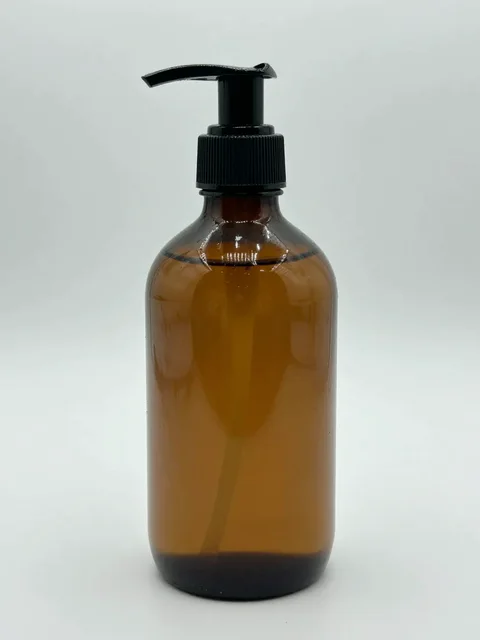
An amber glass pump bottle filled with liquid against a white background.
Alt textamber-pump-bottle.jpgPass

alt=

An amber glass pump bottle filled with liquid against a white background.

A small eucalyptus plant with rounded, sage-green leaves growing in a simple white ceramic pot.
Alt texteucalyptus-white-pot.jpgPass

alt=

A small eucalyptus plant with rounded, sage-green leaves growing in a simple white ceramic pot.

Good for

  • Shops describing a full product catalogue
  • Fixing a backlog of blog images before an accessibility audit
  • Agencies handing a client a reviewed sheet of descriptions
  • Archives and image libraries with thousands of undescribed files

How to use it

  1. 1

    Load the batch

    Drop up to 500 JPG, PNG or WebP files of up to 10 MB each, paste image URLs one per line, or upload a CSV or TXT file of URLs of up to 2 MB. Only public http and https addresses are fetched.

  2. 2

    Run it

    Pick the output, language and tone once for the whole batch. Rows are described 4 at a time, at 2 credits a short description; you can pause and pick up where you left off, and the run pauses on its own if your balance runs out.

  3. 3

    Review and export

    Sort through the WCAG column, fix the rows that need it, then download CSV or JSON, or copy HTML for every image at once.

Working from a list of URLs

Most sites already have their images online, so you do not need to download them first. Paste the image addresses or upload a CSV exported from your CMS; the describer reads the first URL it finds on each line and skips lines it cannot use, telling you how many. Each image is fetched once, checked and stored for the job. Private network addresses, very large files and anything that is not a JPG, PNG or WebP image are refused.

Keeping a large batch consistent

Consistency matters when 300 product photos sit side by side. One setting for language and tone applies to the whole batch, and the page topic and shop mode steer every row the same way. The WCAG check flags lines that go over 125 characters, repeat the file name or start with "image of", so you can fix the outliers rather than read every row from scratch.

What the export looks like

The CSV has one row per image, keyed by its file name or URL. Each row holds the alt text, whether the image is decorative, the caption, long description and chart table where you asked for them, the text read in the image, and the language. It is saved with a UTF-8 byte order mark so accented letters and non-Latin scripts open correctly in Excel. JSON holds the same data for scripts, and the HTML copy gives you ready <img> tags with the alt attribute filled in.

What it costs

Alt text costs 2 credits an image, a long description 4 and a chart description with its data table 5. Every image in a batch costs the same, and failed jobs are refunded. Images are read by Gemini Flash. Credit packs start at $2.65. See plans and packs

Questions

How many images can I describe at once?

Up to 500 images or URLs per batch. For a larger site, run several batches; each one is kept in your history.

Can I stop a batch halfway?

Yes. Pause stops new rows from starting and lets the running ones finish. Press run again to continue with the rows that are left.

What if some URLs do not work?

That row shows why, for example the address is private, the file is too large or it is not an image, and nothing is charged for it. The rest of the batch carries on.

Which CMS can import the CSV?

Any system that imports a spreadsheet of image addresses and descriptions, which includes most shop platforms and many CMS import plugins. Map the URL or file column to the image and the alt column to its alternative text field.